Which notes can Claude reach from your phone? Only apps with a hosted MCP server
by Andreas Tissen · · updated
A disclosure first: Pando, the hosted outliner in the last row of the table below, is mine, so I have a stake in this question. The 21 note apps above it are not.
Open Claude on your phone and ask it to add one line to your notes. Whether that works depends on where your note app's MCP server runs. For 12 of the 21 apps, that is your own computer or nowhere at all, and Claude on your phone reaches neither. The other 9 host their server on the internet, and those work.
I read each vendor's documentation on 13 November 2026 and kept, for every row, the sentence on that page that answers the question. Where a vendor has no page on MCP, the row says so and names what I found instead, such as a community plugin.
Two places a server can run
An MCP server is the small program that lets an agent read and write an app. It runs in one of two places.
A local server runs on your computer, inside the app or next to it. Claude Desktop can start one and talk to it, because it runs on that computer too.
A remote server runs on the internet, at an address like https://example.com/mcp. claude.ai and the Claude phone app use this kind. Anthropic explains why on its help page "Get started with custom connectors using remote MCP". Claude connects to a remote MCP server "from Anthropic's cloud infrastructure, rather than from your local device", and this is true "across every Claude client, including claude.ai, Claude Desktop, Cowork, and the mobile apps". Anthropic's cloud cannot reach a server on 127.0.0.1, the address your computer uses for itself.
So the question for every note app is whether its server is remote or needs something running on your computer. On the free plan this matters more. The same Anthropic page says "Free users are limited to one custom connector".
The table
"No" in the last column means no official remote server. For Obsidian, Dynalist and others there are community projects, which you run and expose yourself, as in the workarounds further down. The table is as of 13 November 2026.
| App | Where its MCP server runs | What has to stay on | Claude on your phone |
|---|---|---|---|
| Notion | hosted | nothing | yes |
| Evernote | hosted, beta, paid plans | nothing | yes |
| Craft | hosted | nothing | yes |
| Capacities | hosted (only spaces with the AI assistant switched on) | nothing | yes |
| Mem | hosted | nothing | yes |
| Heptabase | hosted, paid plans (Pro and up) or a trial | nothing for notes; whiteboard actions need the app open | yes |
| Basic Memory Cloud | hosted, paid | nothing | yes |
| Roam Research | hosted; a local alpha server also exists | nothing | yes |
| Tana | hosted, beta, paid plan | nothing | yes |
| Workflowy | your computer | the desktop app | no |
| Logseq | your computer (2.0 beta, desktop app or CLI) | the app | no |
| Obsidian | your computer, through a community plugin (every way in) | the app | no |
| RemNote | your computer | the desktop app | no |
| Anytype | your computer | the app | no |
| Reflect | your computer (MCP beta) | the app | no |
| Amplenote | your computer, Unlimited plan | the app | no |
| Apple Notes | your Mac, as a Claude Desktop extension | a Mac | no |
| Bear | your Mac | a Mac | no |
| Dynalist | no official server found, community ones only | no | |
| Google Keep | no official MCP server found (the Keep API is for Workspace admins) | no | |
| OneNote | Microsoft lists no official server | no | |
| Pando | hosted, Pro 3 EUR a month, 5,000 bullets free | nothing | yes |
RemNote says it most plainly in its own help article on connecting AI agents: "Web-only AI apps (like chatgpt.com or claude.ai) can't connect". Roam has two servers. The local one is in Roam's own repository roam-tools on GitHub, which calls itself "Alpha Software" and needs the desktop app, and the hosted one is what Claude uses from the phone.
Most of the big note apps now host their servers, while most outliners do not. Six other outliners are in the table. Workflowy, Logseq and RemNote need an app running on your computer, Dynalist has nothing official, and Roam and Tana host theirs (Tana's is in beta, on a paid plan).
Where a local server stops working
At your desk, with Claude Desktop open, every row with a local server works. It stops working in two situations.
On the phone, the Claude app connects from Anthropic's cloud, and your laptop is not there.
At night, an agent you started before bed, or one that runs on a schedule, keeps working while your laptop sleeps. A local server sleeps with the laptop.
ChatGPT is a separate case. OpenAI's developer guide on Secure MCP tunnels says ChatGPT reaches a server through a public HTTPS address or through that tunnel. The tunnel is meant for a server that is "private, on-premises, or behind a firewall". With the tunnel, a small client of yours runs inside your network and picks up the requests, so a server on your laptop needs that client running too. ChatGPT in a browser reaches your laptop only through MCP has the detail.
The workarounds
There are three ways to make a local server reachable, and each of them works.
The first is to keep a computer awake with the app open. The server stops on the day the machine sleeps or the app closes.
The second is a tunnel in front of the local server, a public address that forwards to your laptop. It works while the laptop is on. A tunnel exposes the server to the internet, so it needs authentication that you set up and maintain.
The third is to run the app on a server, which is then a computer you look after, with updates to apply.
What I use a reachable server for
My agents file what they need from me as checkbox tasks in one branch, "Inbox (from your agent)". When an agent hits a step only I can take at two in the morning, the task is in my outline when I pick up the phone. The line says what and how long, such as "Renew the domain before Friday (3 min)". The note says why, and the children are the steps. The inbox your agent writes for you describes the pattern.
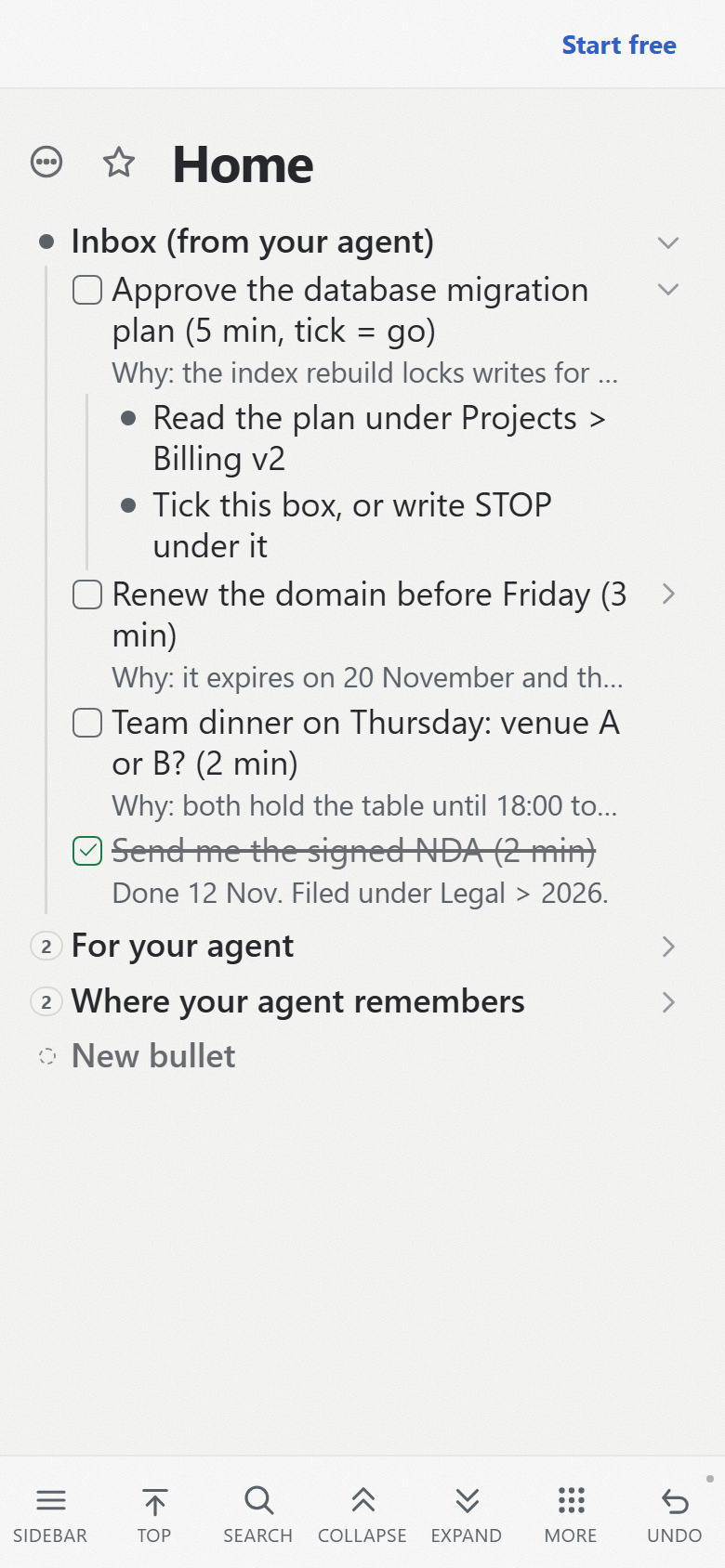
Beside it sit a branch called "For your agent", where you write what you want done, and the bullet where the agent keeps what it should remember between sessions.
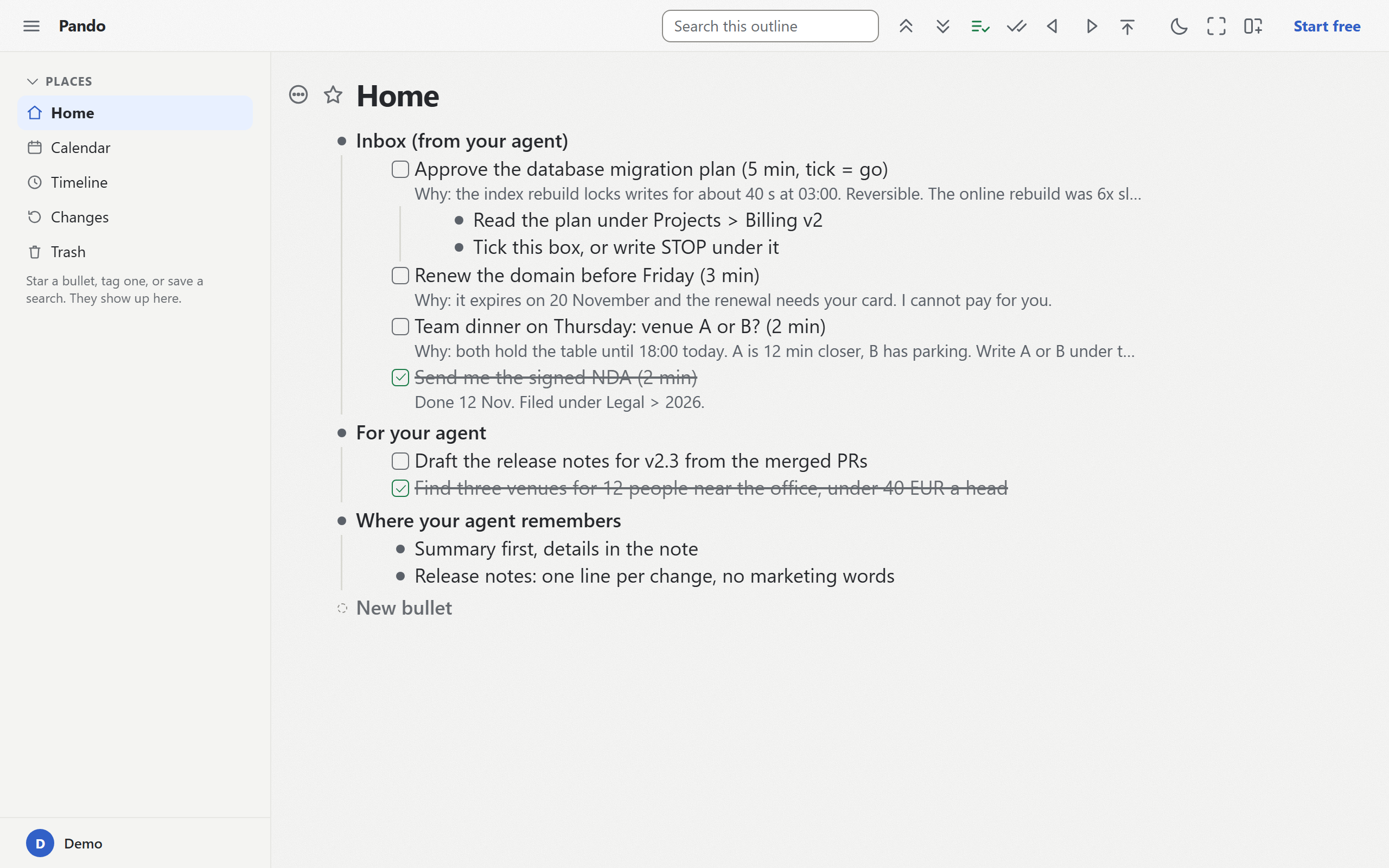
The inbox branch also exists as a template with example tasks.
Where Pando fits
Pando's MCP server is hosted, so the Claude phone app, claude.ai, ChatGPT and Claude Code reach it with your laptop shut. It gives your agent one bullet as its memory, and one press holds an agent to a single branch.
It does not keep Markdown files on your disk, it has no end-to-end encryption, its code is not open source, and one person builds it. It exports Markdown, OPML and a full backup whenever you like.
If your notes already live in one of the hosted apps above, add that app's connector and you need nothing from me. If they live in a local one and you want an agent to reach an outline from anywhere, create a free Pando account and connect Claude.