Steering Claude Code from your phone without reading the transcript
by Andreas Tissen · · updated
Most of Pando, the outliner I make, is written by Claude Code, and I start and steer a lot of that work from my phone. Some of it works well on a small screen and some of it does not.
The session on the phone
The session itself comes from Anthropic. Its page "Continue local sessions from any device with Remote Control" (code.claude.com, read on 14 November 2026) says Remote Control connects claude.ai/code or the Claude app "to a Claude Code session running on your machine", and that "Claude keeps running locally the entire time". On my desktop, Remote Control runs all day in my working folder, and a scheduled task starts it again whenever it exits. From the Claude app I can start a session on that computer from anywhere.
That solves starting and talking. It leaves reading. A session that has worked for an hour has produced many screens of reasoning, tool calls and results, and the one question the agent asked me is somewhere in the middle. On a monitor I skim it. On a phone I scroll through text written for a much wider screen, and I miss things.
What I read instead
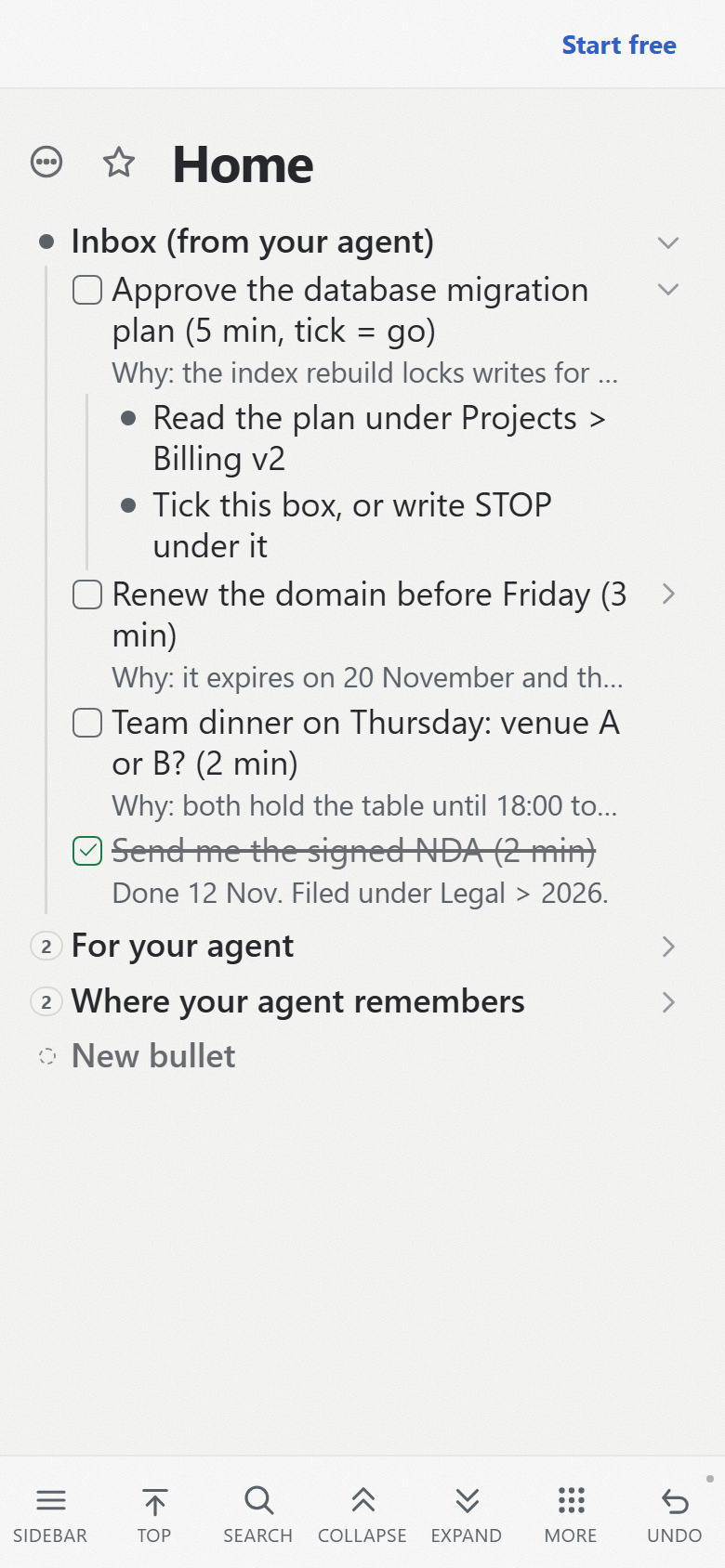
I do not read the transcript to find out what the agent needs from me. Agents working on Pando file every step only I can take as a checkbox task in "Inbox (from your agent)", a branch in my outline: the line says what and how many minutes, the note says why it has to be me, and the children are the steps. The inbox your agent writes for you describes the pattern, including how the agent checks my tick.
The other direction is shorter. When I want something, I say it in the chat, and the agent writes it as a card into the "Open" lane of a board in my outline, where the program that runs the agents picks it up. The list your agent reads first tells how that came about, and why I stopped writing the list myself.
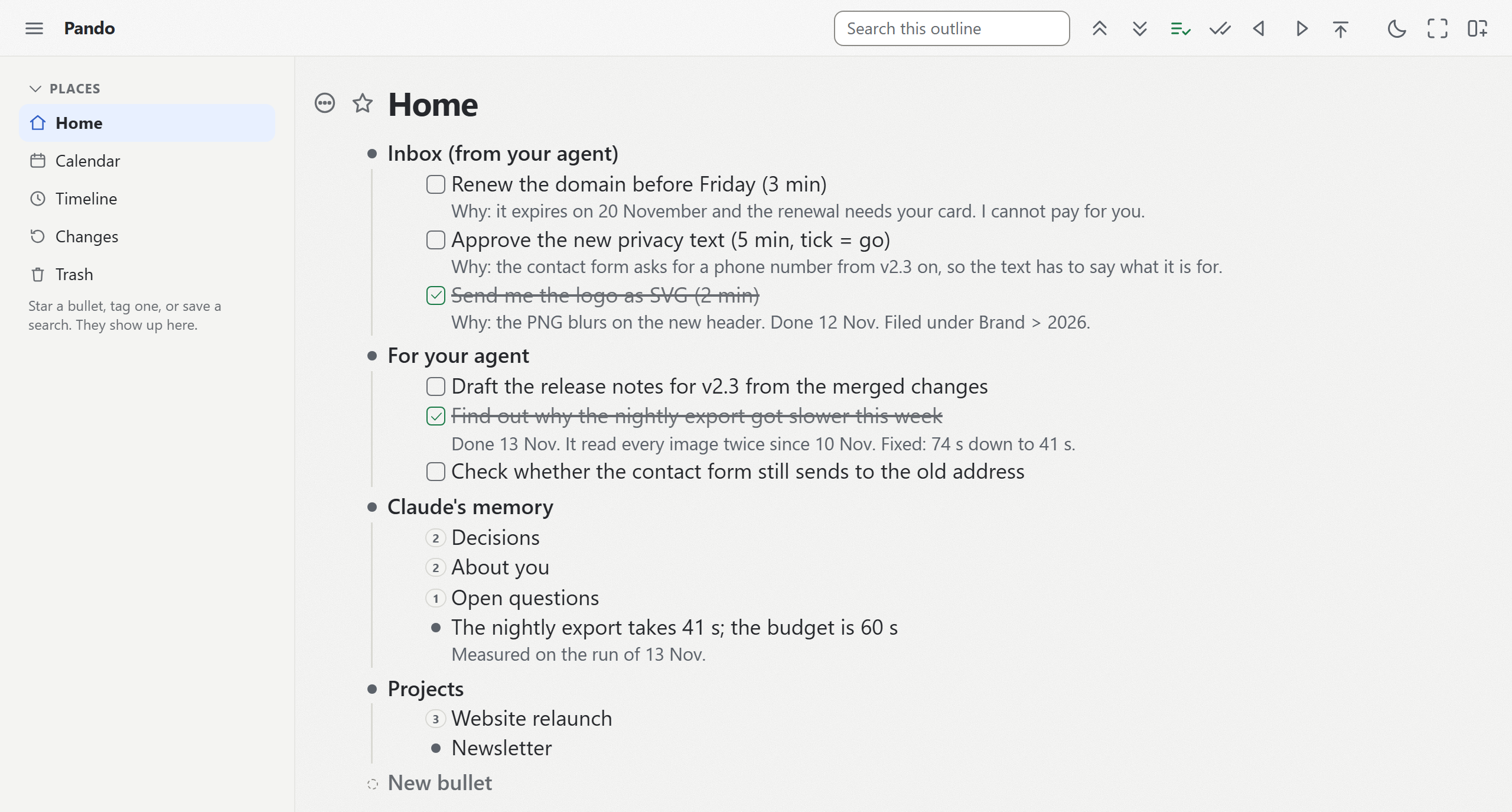
On the phone, each of those is a short list I take in at a glance. On 18 August 2026, at half past midnight, I sent two requests from the phone, and the project's status log records both as done and live on the same commit.
How I know a change is done
The second thing I would otherwise read the transcript for is whether the work is finished. In Pando's setup, the agent does not decide that. The program that hands it the card does, and the first lines of that program say why: an agent that grades its own work will pass it.
After the agent says it is done, the program runs the full test suite itself. On 12 November 2026 that suite held about 4,000 tests and took between 11 and 16 minutes. Then it walks a fixed set of browser tests over the board, the outline and the keyboard, about six minutes, whatever the card was about. The deploy script refuses to ship a working tree with uncommitted changes. After deploying, it checks that the live site reports the commit it has just shipped, and then runs a few checks against the live site. A card whose checks fail goes back to the Open lane with the reason.
17 August 2026 showed why the checks against the live site matter. A guard added to the delete function read a value that meant one thing in the test environment and another on Cloudflare's servers. The suite passed, 2,241 tests of 2,241, and production refused every delete for eleven minutes, until the probe after the deploy tried one for real.
The review step I left out
Nobody reads each change before it goes live, and nothing undoes a deploy on its own. A live check that fails cannot take the deploy back; it is recorded, and the next deploy refuses until it is dealt with. I accept that because I am the only person responsible for this product and its mistakes are mine. In a team I would keep a person who approves each change.
What you need for it
You need Remote Control from Anthropic for the session, and a place for the two lists that you and the agent both reach. Pando's MCP server works with Claude Code, claude.ai and the Claude app, and the same web app runs on your phone. You can create the two branches yourself or start from a template with both of them and a branch for the goal.
Then tell your agent: "When you are blocked on something only I can do, write it as a checkbox task under 'Inbox (from your agent)', with what and how long in the line, why in the note, and the steps as children. Read 'For your agent' for what I want next." How the agent should write its reports into those lines, so you can read them on a phone, is in the post on reports in layers.
The free plan covers all of this. Create a free account and connect Claude, then add one line to "For your agent" from your phone and see what the next session does with it.