Share one branch with your agent, not your whole outline
by Andreas Tissen · · updated
Imagine you want Claude's help with one project in your notes, the relaunch of a website, and the same notes also hold your budget, a list of birthday presents and notes from a difficult conversation with your landlord. My examples use Pando, the outliner I make, where a new connection starts with the whole outline. The question is how to keep Claude to the relaunch.
What a sentence in the prompt can do
The first idea is a line in Claude's instructions: "Only work in the branch Website relaunch." That line helps. Claude follows it most of the time. Anthropic is clear about what such a line is. Its page "How Claude remembers your project" (code.claude.com, read on 14 November 2026) says Claude treats CLAUDE.md and its memory "as context, not enforced configuration", and that to block an action "regardless of what Claude decides" you need a hook.
The same holds for any instruction. If Claude reads the rule differently from the way you meant it, nothing stops a tidy-up from moving bullets out of a branch it was never meant to touch. You want the equivalent of the hook, a limit that holds whatever the agent decides.
The press that narrows an agent
Open the branch the agent should work in. Go to Settings, then "Agents and API keys", tap the agent under "Your agents" and press "Let it reach only", the button that names the bullet you are in.
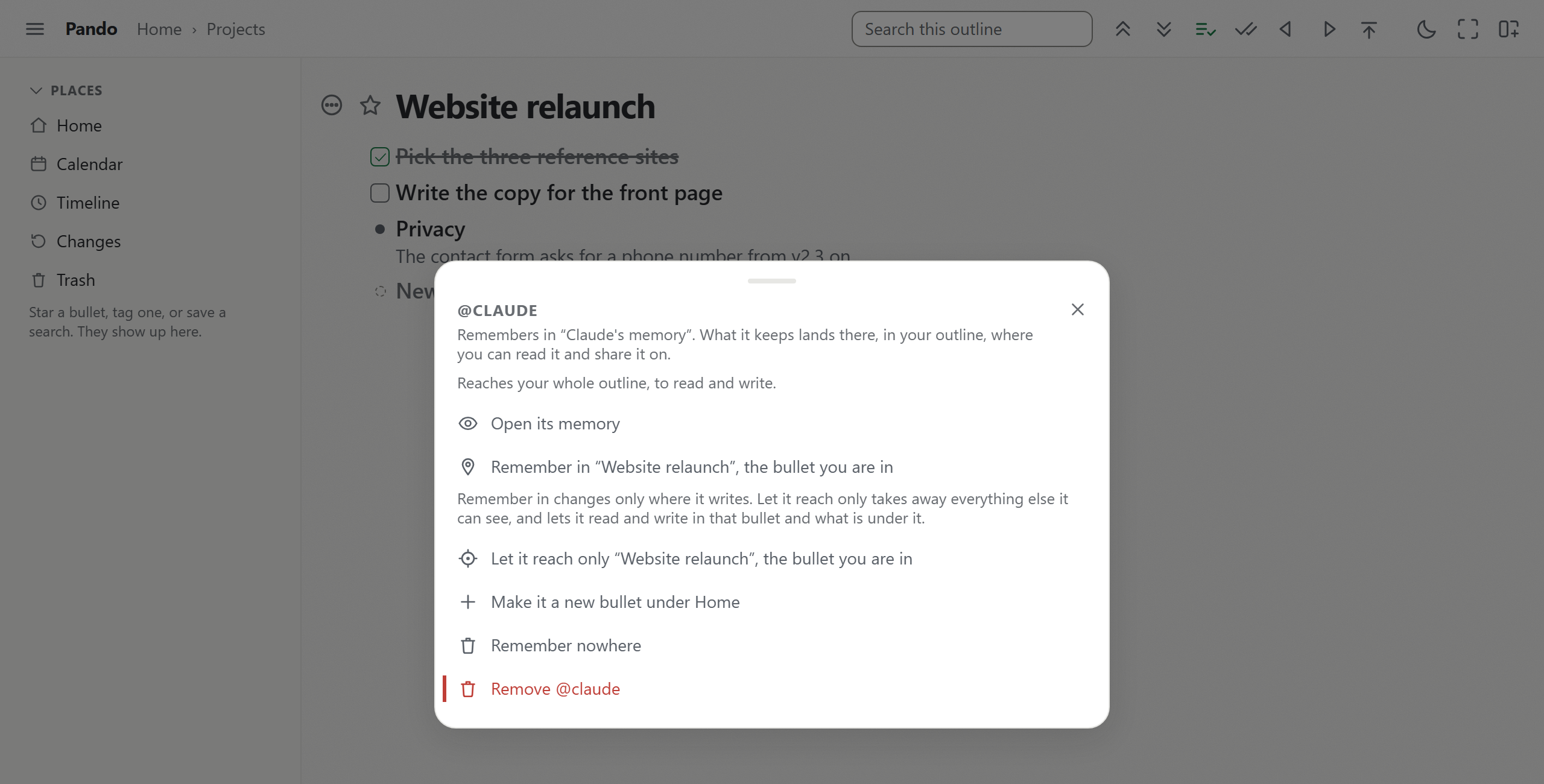
The picture is from a test account. After the press, the agent's row says that it reaches "Website relaunch" "and nothing else in your outline".
What changes on the server
An agent in Pando reaches a bullet only through a grant, a row on the server that says which bullet and whether it may read or also write. The press deletes every grant the agent holds and leaves one, on the bullet you are in, to read and write. From then on the server answers the agent's reads and writes for that bullet and everything under it. The rest of your outline is refused. A grant the agent held in a branch somebody else shared with you is removed too, where you are allowed to remove it.
This answers an obvious question. If you approved Claude as "Read your outline only", the press still lets it write inside the branch. The reason is the agent's memory, which moves into the branch with the press: remembering is a write, and an agent held to a branch it cannot write in would have nowhere to keep anything. The button says "to read and write" before you press it, and outside the branch the agent sees nothing at all, read only or not.
Two other controls work on top of that. A bullet you protect refuses every change from every agent, and so does everything under it, which suits a page inside the branch that the agent may read but must leave alone. "Remove @claude" ends the connection completely; what the agent wrote stays in your outline.
What to put in the branch
A branch the agent can work from needs a few things written down: a Briefing in your own words ("File new ideas under their project. Ask before you change the copy on the front page."), a place for the agent's working notes, and an inbox where it files what it needs from me, a pattern with a post of its own. Those notes can also be the agent's memory bullet, since the press moves the memory there anyway. The layout exists as a template, with a prompt you can paste.
The Briefing is still a request, like any prompt, and the grant on the server is what holds on the day the request is misread.
What Pando does not record
You can see what an agent wrote. Every change it makes is recorded as an automated change. It keeps no list of what an agent read. The grant limits what it can read, and that limit is the only protection on the reading side, so set it before the agent's first task rather than after.
Widening later
Widening works the same way: open a bigger branch and press "Let it reach only" again, or, if the agent has earned the whole outline, remove it and connect it again with the whole outline approved on the consent page. I would start with one project and widen it once the working notes show the agent understands it.
Every feature, this press included, is in the free plan. Create a free account and connect Claude, then open one project's branch and press "Let it reach only" before you give Claude its first task.