Where does this note go? PARA has one answer
by Andreas Tissen · · updated
You have a note about a supplier. Does it go under Suppliers, under the Kitchen project, under Finance, or under Contacts? All four are defensible, which is the problem: you spend six seconds deciding, you pick a different one next Tuesday, and a year later the notes about that supplier are in four places and you find none of them.
Topic filing fails for a structural reason. Most notes belong to several topics, so the question "where does this go" has several right answers, and a question with several right answers gets a different answer every time.
With Tiago Forte's PARA you ask a different question, one with exactly one right answer: how soon am I going to act on this?
Four buckets, ordered by actionability
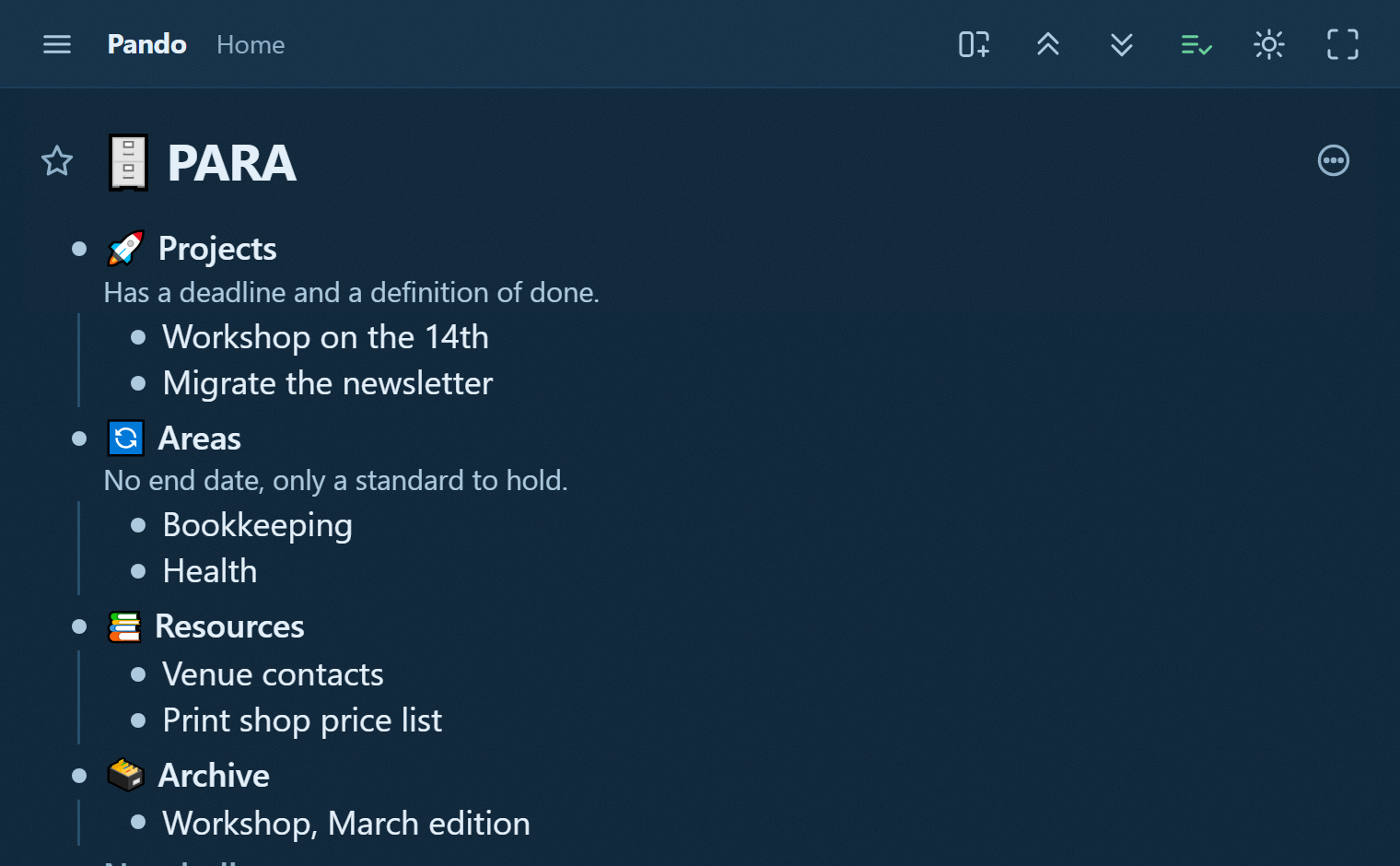
- Projects have a deadline and an outcome. "Launch the pricing page by 30 September" is a project. "Marketing" is not.
- Areas are standards you hold with no end date: Health, Finances, the product's reliability. You do not finish an Area; you keep it.
- Resources are things you may want later and are not responsible for.
- Archive is anything from the three above that is finished or dormant, kept because searching beats deleting.
Every note goes to the most actionable bucket that fits. The supplier note belongs under the Kitchen project while that project is live, and moves to Archive with it when the kitchen is done. Not because a supplier is conceptually a project, but because that is where you will be looking when you need it.
Why an outline is PARA's natural home
PARA's daily motion is moving things between buckets as their actionability changes: a new Project comes out of an Area, a finished one drops into Archive, an archived one comes back to life. In a tool where folders are rigid that motion is a chore, so it stops happening and the system rots into four static folders.
In an outline the motion is a drag. A project is a bullet with children, so promoting a note to a project means giving it children, and archiving one means dropping it a level. Nothing is converted, nothing is re-typed.
And the four buckets are just four bullets, so you can hold Projects open and everything else collapsed. That single view is the honest picture of your week: what has a deadline, and everything else out of the way.
Where the agent helps
The judgement of PARA is yours: only you know whether something has become a project. The bookkeeping is not. An agent that reads the tree can propose the archive sweep every month ("these four projects have not been touched since May: archive them?"), and can point out what you will not notice on your own: an Area with no project under it, a standard you are holding in name only.
Take the four buckets
Open the PARA template, press "Show in my Pando", and the four buckets land in your outline with one worked example in each. Then move three notes you already have. If the move is obvious, the method is working.